


PlantIn Plant Identifier, Care
4.08.50K Reviews
App Specs
- Version
- 2.70.0
- Updated On
- License
- Free
- Downloads
- 10,000,000+
- Developer
- PlantIn
- Categories
- Education
- Platform
- Android
Screenshots
 Analysis by AppCompare
I usually reach for a plant-identification app when I have a question I can’t answer by looking: a new houseplant came home without a clear label, or a leaf has changed and I’m unsure what to check first. PlantIn Plant Identifier, Care is built around that moment. It’s an education app from PlantIn, and its appeal is the attempt to connect identification with practical care rather than leave me with a name and no next step.
Begin with the plant, not the guess
My most useful approach is to start with one clear question. If I’m trying to identify a plant, I take a photo that shows the leaf shape and arrangement, then check whether the result looks consistent with the plant in front of me. A close-up of a single damaged leaf may be helpful for a health concern, but it can hide the overall form that distinguishes one plant from another. Taking a second picture from a different angle is a sensible check before I treat the first suggestion as certain.
That small pause matters because identification apps are best used as guides, not as unquestionable authorities. A likely name gives me a starting point for care research; it doesn’t prove that every instruction will suit my plant’s exact condition or growing space. I compare the suggested identity with visible details and use common sense before changing a routine, especially if the plant is already stressed.
Turn a result into a care routine
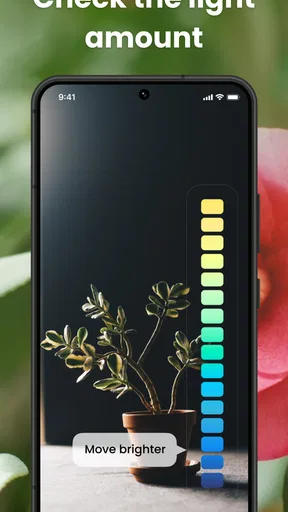
Once I have a plausible identification, I move from the label to the care guidance. I look for the practical basics: how much light the plant is suited to, how watering should be approached, and what kinds of care tasks may come up over time. The value is not simply having more information on screen. It is having a way to turn a one-off curiosity into a small, repeatable routine.
For example, if I bring home a plant from a shop and don’t know its name, I can identify it, check the care advice, and decide where it might fit before placing it among the rest of my plants. I would still observe how it responds in that spot rather than assume a general guide can account for every room, season, pot, and watering habit. That is where the app helps me make a better first decision without replacing attention to the plant itself.
Keep care reminders useful, not automatic
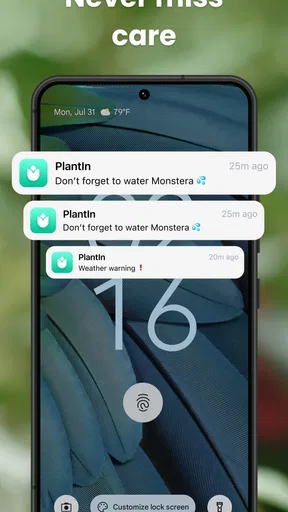
The reminder feature can help when several plants have different needs or when a busy week makes routine jobs easy to forget. I find reminders most useful as prompts to inspect a plant, not as commands to water it regardless of what the soil or leaves show. A scheduled nudge is a memory aid; it can’t see the conditions in your home or know whether a pot is still damp.
A practical way to use it is to tie a reminder to a quick check: look at the plant, assess whether the task is due, and then act accordingly. That reduces the risk of following a calendar blindly. It also makes the app more useful for beginners, who may need help remembering to check in, while leaving the final decision with the person caring for the plant.
Worth Reading Before You Choose

Flipboard Shows What News Apps Must Do Beyond the Feed

Switching to Android Auto Means Rethinking Your Driving Routine

Google Calendar Makes a Crowded Week Easier to Manage

Ludo King Makes the Most of the Minutes Between Plans

Baby Panda World Brings Quick Play to Modern Phones, but Its Game Library Feels Busy

ESPN’s Live Game View Makes Following Close Games Easier
When a plant looks unwell
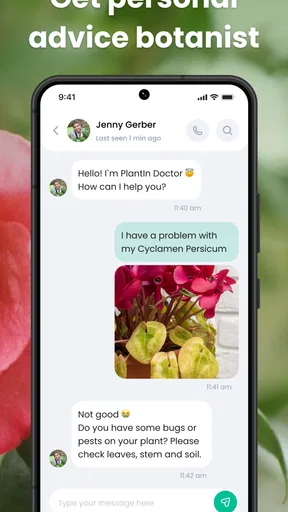
If a leaf yellows or develops a mark, the Plant Doctor feature gives me a way to seek possible explanations from a photo. I treat that as an initial troubleshooting step rather than a diagnosis that settles the matter. Similar symptoms can have different causes, so I look at the wider picture: whether the change affects one leaf or many, whether the soil is staying wet, and whether the plant has recently moved.
This is also a sensible point to take a fresh photo in good light and include enough of the plant to show the pattern of the problem. A close crop may make a spot visible but leave out clues about the rest of the plant. If the suggested remedy involves a substantial change, I would make one adjustment at a time and watch for a response instead of changing several parts of the routine together.
Where it fits among other options
Compared with searching the web manually, an identification app can shorten the path from a picture to a useful name and care material. A general image search may show many similar-looking plants and send me through several pages before I find relevant advice. PlantIn brings identification and care guidance together, which is convenient when I want to move from “what is this?” to “what should I check next?”
It is not necessarily the better choice for every question. A trusted local nursery or experienced grower may be more helpful when a plant is deteriorating quickly or the problem depends on details that a photo cannot show. For a confident botanical identification, specialist references can also be preferable to accepting one app result. I see PlantIn as a practical first stop, not a substitute for expert help in a serious or complicated case.
Its community feature offers another handoff: instead of relying only on an automated suggestion, I can share a plant photo and learn from other enthusiasts. That can be reassuring when I want a second perspective, though community advice is still advice from other users rather than a guarantee. I would describe the symptoms clearly and include context, such as recent changes in location or care, rather than post a close-up with no explanation.
A realistic day-to-day workflow
Imagine I notice a plant at a friend’s home that I’d like to grow, but neither of us knows its name. I photograph it, use the identification result as a lead, and check the care information before deciding whether my home has a suitable spot. If I bring one home, I can then use reminders to remember checks and routine tasks, while judging watering by the plant and its growing conditions. If it later shows signs of stress, I can take a new photo, review possible causes, and ask the community for another perspective.
The important handoff is from screen to real observation. An app can help organize the questions, but it cannot inspect the soil, feel the room’s humidity, or notice that a pot has poor drainage. Keeping those checks in the workflow makes the advice more useful and reduces the chance of treating a general suggestion as a precise prescription.
Who will get the most from it
I’d recommend PlantIn to curious beginners, people who have accumulated a mix of houseplants, and anyone who often forgets routine care. It can also suit someone who enjoys identifying flowers, trees, or shrubs while out walking and wants a convenient place to begin learning about them. The combination of identification, care material, reminders, and community gives different kinds of plant questions a common starting point.
I would skip it if I only need one reliable answer and already have a knowledgeable local source, or if I expect a photo-based tool to diagnose every plant problem correctly. It may also feel like more app than necessary for someone with a single low-maintenance plant and no interest in tracking care. In those cases, a note on a calendar or a direct conversation with a grower may be simpler.
Cost, expectations, and practical trade-offs
The app is free to download, and its in-app purchases range from $0.99 to $199.99 per item. I’d explore the free experience before paying, then decide whether any paid option solves a problem I actually have. The existence of purchases does not make a subscription or purchase essential to everyone, and I would check the purchase details in the app before committing rather than assume every feature is included at no cost.
Its average rating is 4.0 from around 134,000 ratings, with about 8,400 written reviews and over 10 million installs. Those figures suggest that many people have tried it, but they don’t tell me whether its suggestions will be right for a particular plant or whether its approach will suit my habits. I judge it by whether it helps me make better observations and follow through on care.
PlantIn is rated Mature 17+, so it may not be the right independent download for younger users. It launched on March 17, 2021, and version 2.63.0 requires Android 7.0 or later. I’d check that my device meets the requirement before trying to install it, and I’d keep in mind that the app’s version can change over time.
Your Personal Plant Encyclopedia
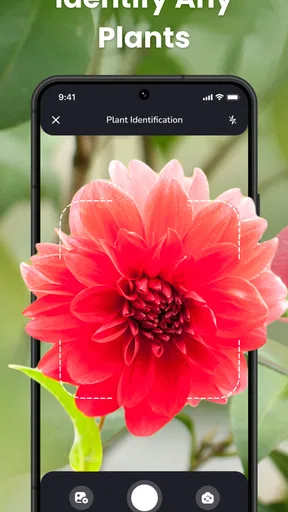
Right off the bat, PlantIn Plant Identifier, Care shines with its ability to identify plants with just a snap of your camera. Seriously, all you do is point your phone at the plant, snap a pic, and voilà! The app works its magic, pulling up detailed info about your leafy buddy. It’s like having a plant expert in your pocket 24/7. And it’s not just limited to houseplants. Whether it’s trees, flowers, or shrubs, this app has got you covered.
Diving Deeper into Plant Care
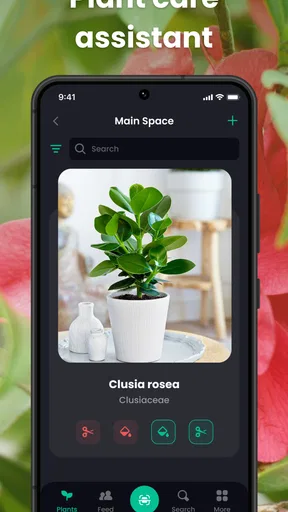
Beyond identification, PlantIn offers a treasure trove of care tips. From watering schedules to sunlight needs, the app delivers a comprehensive guide to keep your plants thriving. I found the step-by-step guides incredibly user-friendly. It's like having a personalized plant care assistant that gently nudges you when your fern is feeling thirsty or when your cactus needs a sunbath.
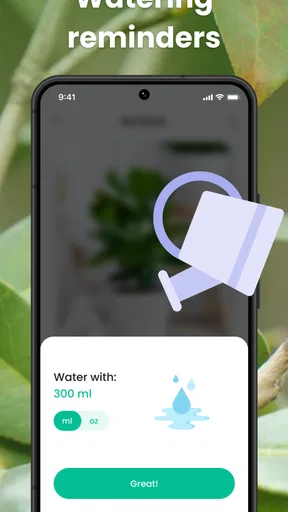
If you’re like me and sometimes forget that your plants need love too, the app’s reminders are lifesavers. You can set reminders for watering, fertilizing, and even repotting. These subtle nudges ensure your plants remain lush and healthy.
Community Features and Plant Doctor
One of the coolest features of PlantIn is its community aspect. You can connect with other plant enthusiasts, share your plant pics, and get advice. It’s a bit like a social media platform, but for plants. The community is vibrant and super supportive, making it a great place to swap tips and tricks.
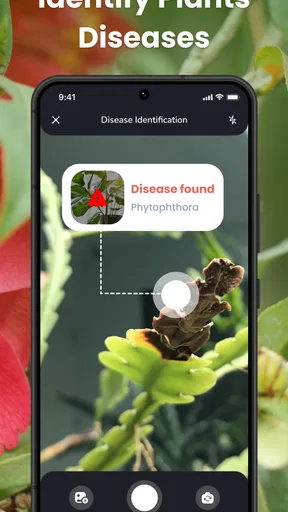
And if your plant looks a bit under the weather, there's a "Plant Doctor" feature. This is where you can get diagnostic help. Simply upload a photo of your plant, and the app provides insights into potential issues and remedies. It’s like having a horticulturist on speed dial.
User Experience and Interface
The interface is sleek and intuitive. Navigating through the app is a breeze, even for those who aren’t tech-savvy. Everything is laid out clearly, from the plant identification to the detailed care instructions. The app's design is modern and visually appealing, making it a joy to use.
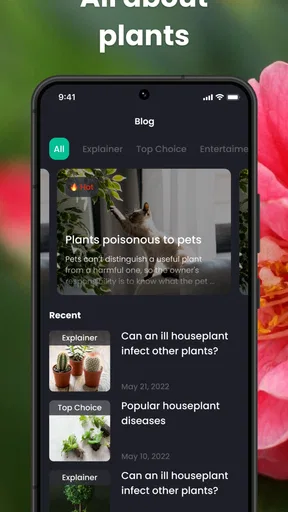
One feature I particularly loved was the "Explore" section. Here, you can discover new plants and learn about their unique characteristics. It's a fun way to expand your plant knowledge and perhaps even inspire your next plant purchase.
Is It Worth It?
Now, let's talk about the value. PlantIn offers both free and premium versions. While the free version is quite robust, the premium subscription unlocks additional features like unlimited plant identifications and access to expert advice. If you’re an avid plant lover, the premium features might just be worth the investment.
In a nutshell, PlantIn Plant Identifier, Care is a fantastic tool for anyone looking to elevate their plant game. Whether you’re a beginner still figuring out why your succulents are turning brown or a seasoned plant parent, this app has something to offer. It’s informative, user-friendly, and a bit addictive. Give it a try, and let your inner botanist flourish!
Pros
- Easy identification of plants with high accuracy.
- Comprehensive plant care tips and reminders.
- User-friendly interface for seamless navigation.
- Extensive database with thousands of plant species.
- Offline mode available for remote area identification.
Cons
- Requires subscription for full feature access.
- Occasional lags in plant identification.
- Limited social interaction features.
- Some care tips not region-specific.
- Offline mode lacks full functionality.
FAQs for PlantIn Plant Identifier, Care
What is PlantIn Plant Identifier, and how does it work?
PlantIn Plant Identifier is a mobile app designed to help users identify plants through photos. By using advanced image recognition technology, the app allows you to snap a picture of any plant and receive instant information about its species, care tips, and more. It's like having a botanist in your pocket.
Does PlantIn Plant Identifier require an internet connection?
Yes, PlantIn requires an internet connection to access its extensive plant database and provide accurate identification results. The app relies on cloud-based processing to analyze images and deliver detailed plant care information, so a stable internet connection is essential for optimal performance.
Is PlantIn Plant Identifier suitable for beginners?
Absolutely. PlantIn is designed with user-friendly features that cater to both beginners and experienced plant enthusiasts. The app provides easy-to-understand care guides, identification tips, and personalized plant care reminders, making it a great tool for anyone looking to improve their plant care skills.
Are there any subscription fees for using PlantIn Plant Identifier?
PlantIn offers a free version with basic features, but to access advanced functionalities like detailed plant care guides and unlimited identifications, users may need to subscribe to a premium plan. The subscription fee provides access to a broader range of resources, enhancing the overall user experience.
Can PlantIn Plant Identifier assist with diagnosing plant health issues?
Yes, PlantIn includes features to help diagnose common plant health issues. By analyzing symptoms and providing potential causes, the app offers solutions and care tips to address various plant problems. This feature is particularly useful for maintaining healthy plants and preventing issues before they escalate.


